BeamMate: laser settings for engraving and cutting, decided in seconds.
view on the app store ↗ ios · iphone & ipad
Find optimal laser settings for engraving and cutting in under 10 seconds — no more endless test runs and community searches. BeamMate turns laser, material and operation into power, speed and passes, as a safe, standard or fast preset.
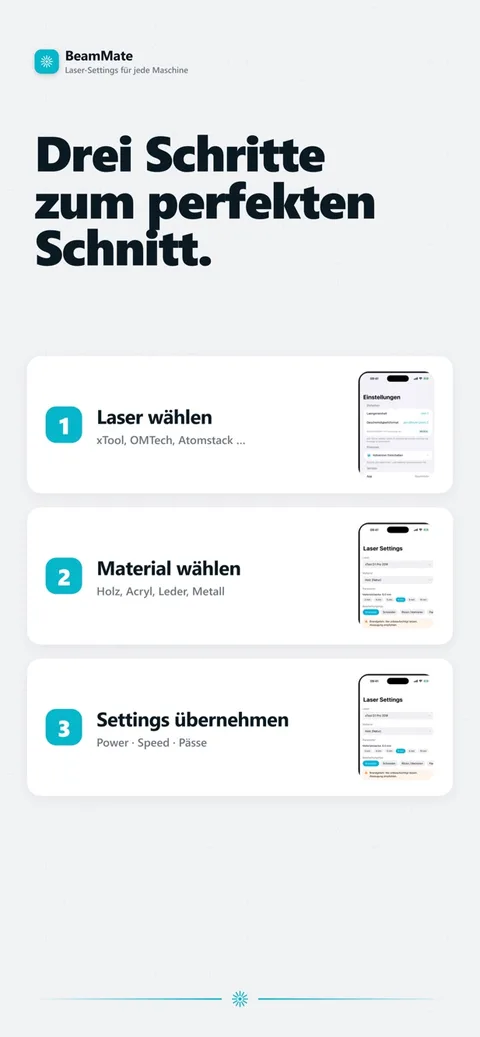
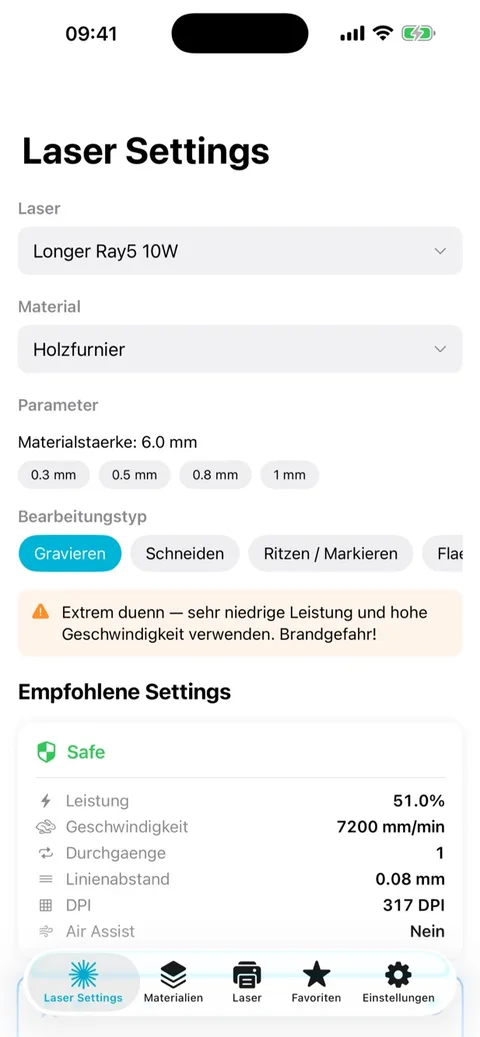
Laser, material, operation — then a preset
Choose a laser from 137 verified machines — xTool, Ortur, Sculpfun, Atomstack, OMTech, Thunder, Trotec, Epilog or Commarker among them. Choose a material from 95 options across wood, acrylic, plastic, metal, organic materials, stone and textiles. Choose the operation — engrave, cut, score or fill — and the app returns three rated presets: safe, standard or fast.
What it calculates
Laser power as a percentage scaled to the machine's wattage, speed in mm/s, the number of passes, line spacing/DPI, an air-assist recommendation and focus-offset guidance. BeamMate covers diode lasers (5–70 W), CO2 lasers (30–150 W and above) and fibre lasers (20–60 W). A time estimate is derived from area and path length, and a test-grid generator varies power against speed systematically.
Built for three kinds of user
Laser beginners get a safe starting point instead of guesswork. Experienced makers get a fast way to test a new material. Engraving professionals get a quick reference at the machine.
- Safety validation — power never exceeds 100%
- Warnings for hazardous materials such as PVC and vinyl
- Laser-type-specific safety notes
- Save favourite setups, test log with photos and your own ratings
- Share a setting as an image card via iMessage, WhatsApp or social media
BeamMate calculates reference settings — it doesn't control the laser directly, and it isn't a substitute for testing a new material carefully, especially materials that can release harmful fumes when cut. The free demo covers wood and acrylic with the xTool D1 Pro; the full laser, material and operation database needs Premium. Digitalbucht is the sole proprietorship of Emil Deak, based in Wülfrath, Germany. No team, no agency, no middle layer.
Data and privacy
BeamMate doesn't request any device permissions. Every input — lasers, materials, projects — stays on your device. Besides the purchase data needed to unlock Premium, nothing leaves the phone. No adverts, no tracking.
Full terms of use and privacy policy for all apps: Apps: terms & privacy.
More: all apps · what an app costs to build.
Last updated: August 2026
Describe the idea. We will scope it.
Two sentences are enough: what's stuck, which systems are involved, when it needs to be ready. Reply usually within one working day.